

Start with the work the display must do. The panel product comes later. A useful brief connects the program, room, audience, cameras, content, environment, structure, signal path, power, and schedule so each technical choice can be checked against an agreed requirement.
Program and environment → geometry and sightlines → cameras and viewing → content canvas → processing and control → structure and power → system test.
Use the sequence to expose dependencies. If the display technology itself is still open, begin with the LED versus projection decision table. If LED is already selected and the room is known, continue to the worked room example.
Define the display job and the complete system
The system includes the LED modules and cabinets, support structure, power distribution, data path, processor, switching or playback, monitoring, control, cabling, spares, and the people who assemble and operate it. A proposal that names only a wall size and pixel pitch leaves most of that system undefined.
Write the program requirement first. Identify whether the wall carries presentation graphics, video, live camera images, scenic motion, sponsor content, confidence information, or several sources at once. Record whether the environment is indoors, outdoors, shaded, daylit, or expected to change during the program. Those answers establish the performance to test without assuming that more brightness or more pixels is automatically better.
Map geometry, viewing positions, and the content surface
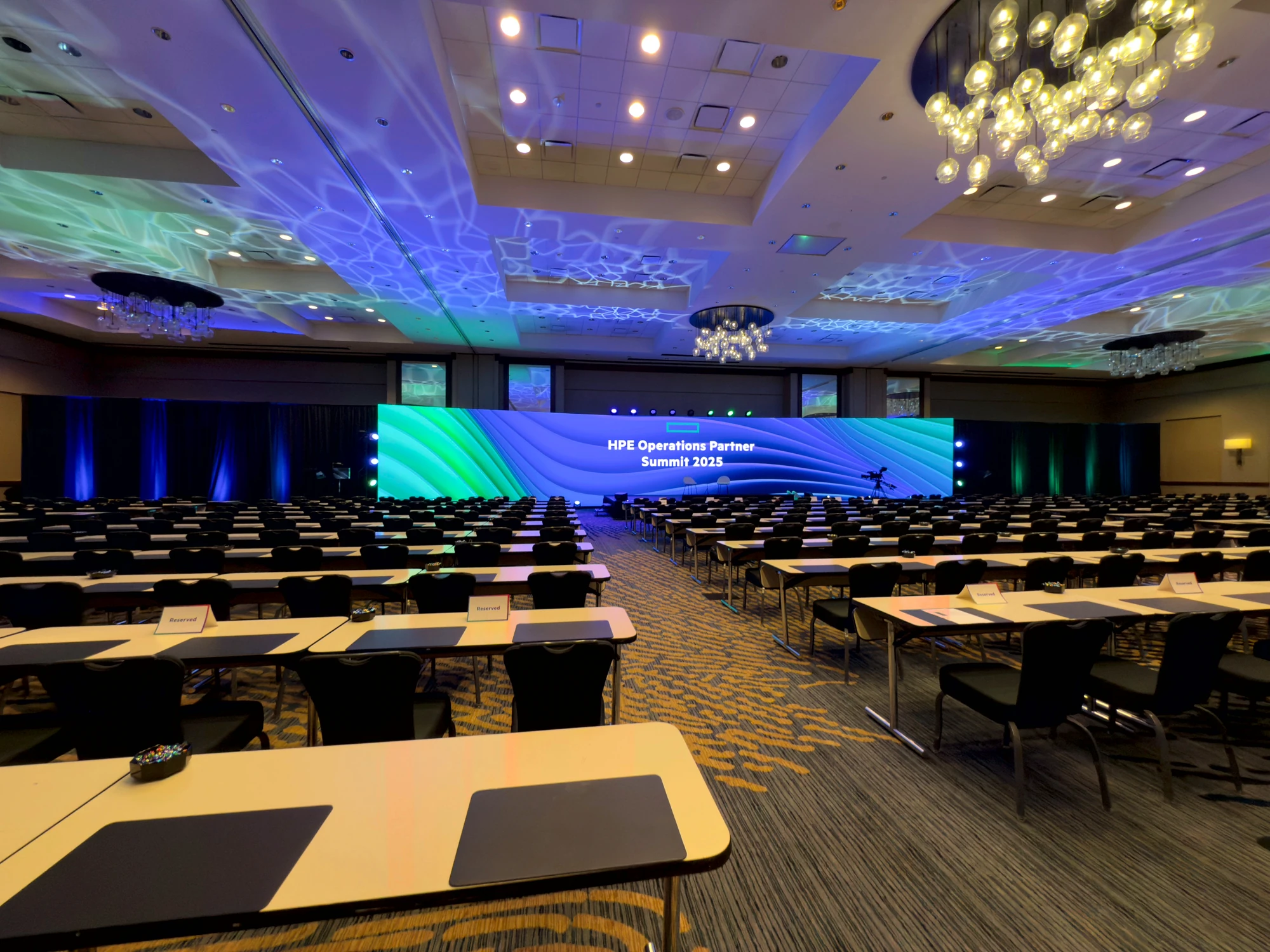
Use the current floor plan to mark the stage footprint, room height, architectural obstructions, seating edges, closest and farthest audience positions, cross-aisle views, and any standing zones. Then test candidate wall dimensions against those sightlines. A wall can be physically impressive and still make the deck unreadable from the rear corner.
Pixel pitch describes the spacing of the LEDs, but it does not create a universal viewing rule. Perceived image quality also depends on content detail, contrast, audience position, cabinet alignment, and eyesight. Shortlist viable products from the actual geometry, then inspect representative content at the closest critical viewing position. The worked room example shows how to document that exercise without turning it into a promise.
Plan camera positions, lenses, and intended shots
List every camera position and the shots that matter, including presenter close-ups, wide stage views, side angles, audience reverses, and any mobile camera path. Camera distance alone is not enough. Lens choice, focus, shutter, frame rate, panel scan behavior, refresh behavior, brightness, processing, and the angle between camera and wall can all change the recorded result.
Ask the supplier how the proposed panel and processor will be tested with the intended camera chain. The test should look for moiré, banding, scan artifacts, color differences, and exposure conflicts with the presenter and stage lighting. Record the accepted settings and the owner responsible for protecting them during rehearsal and show operation.
Match the content canvas to processing and control
Document the master content aspect ratio and pixel dimensions, then identify every source that must appear on the wall. The physical wall may not land on the exact pixel dimensions of a standard deck, so the content and playback teams need an agreed canvas, safe areas, scaling method, and delivery specification before assets are finished.
The processor maps the content canvas to the cabinets. Switching, playback, routing, monitoring, graphics, redundancy, and source handoffs sit around it. A useful signal diagram shows primary and backup paths, format conversions, control points, and the response to a failed source, cable, processor, or cabinet. Test native assets as well as presentation laptops and live camera inserts.
Resolve brightness, structure, power, and service access
Brightness should be evaluated against the brightest expected environment, the stage lighting plan, camera exposure, and the ability to dim and calibrate the proposed panels. Outdoor and partially exposed systems also require a weather plan, suitable equipment, protected power and data, ballast or attachment decisions, and a documented stop or recovery process.
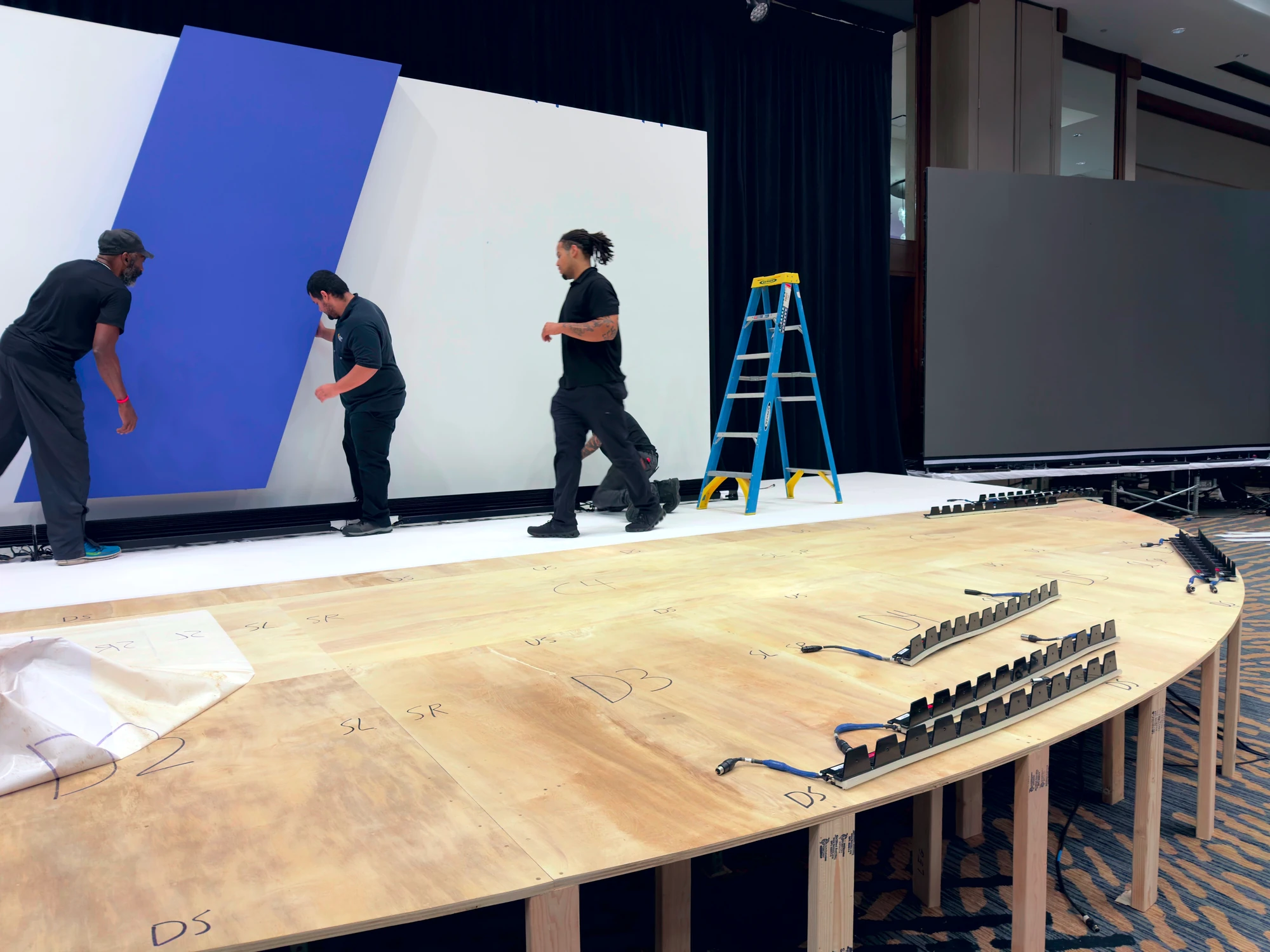
Structure determines where the display load goes and whether the system can be flown, ground supported, or integrated into scenic. The venue, qualified rigging and structural parties, fabricator, and production team need a coordinated drawing that includes loads, approved points, bases, access, cable paths, power, ventilation where relevant, rear service space, and emergency egress. Do not treat the wall drawing as separate from the room plan.
Issue a useful brief, then close the open questions
A useful brief includes the room and stage plans, seating and standing zones, audience viewing positions, camera positions and shot list, program uses, content canvas, source list, environmental conditions, schedule, venue rules, structural approach, available power, service access, and the required level of backup. Ask respondents to identify assumptions, exclusions, substitutions, inventory dependencies, testing steps, and responsibility boundaries.
Finish with a test plan, not a claim based on a specification sheet. Review the proposed panel, processor, representative content, cameras, lighting conditions, scaling, backup behavior, and physical build. If commercial comparison is the next decision, use the national quote anatomy. Houston programs can then add the local scope variables, while exhibit teams should take the system into the exhibit-hall checklist.
Room, program, camera, and content plans become one ordered display brief.
Geometry comes from the room plan; visual jobs come from the program; test conditions come from the camera and content plans. The resulting sequence names dependencies, owners, and open questions before procurement.